Customizing snippets for crafting efficiency
tips
R
RStudio tips
Code snippets are pre-defined pieces of code that can be inserted into a script or console with a simple shortcut. RStudio provides built-in snippets for general functionalities. Moreover, you have the flexibility to modify these built-in snippets or introduce your personalized user-defined snippets. These customizable components cater to individual needs, greatly enhancing coding efficiency.

Create your own snippets
(or edit built-in snippets if you want)
- Tools → Global Options → Code → Edit Snippets
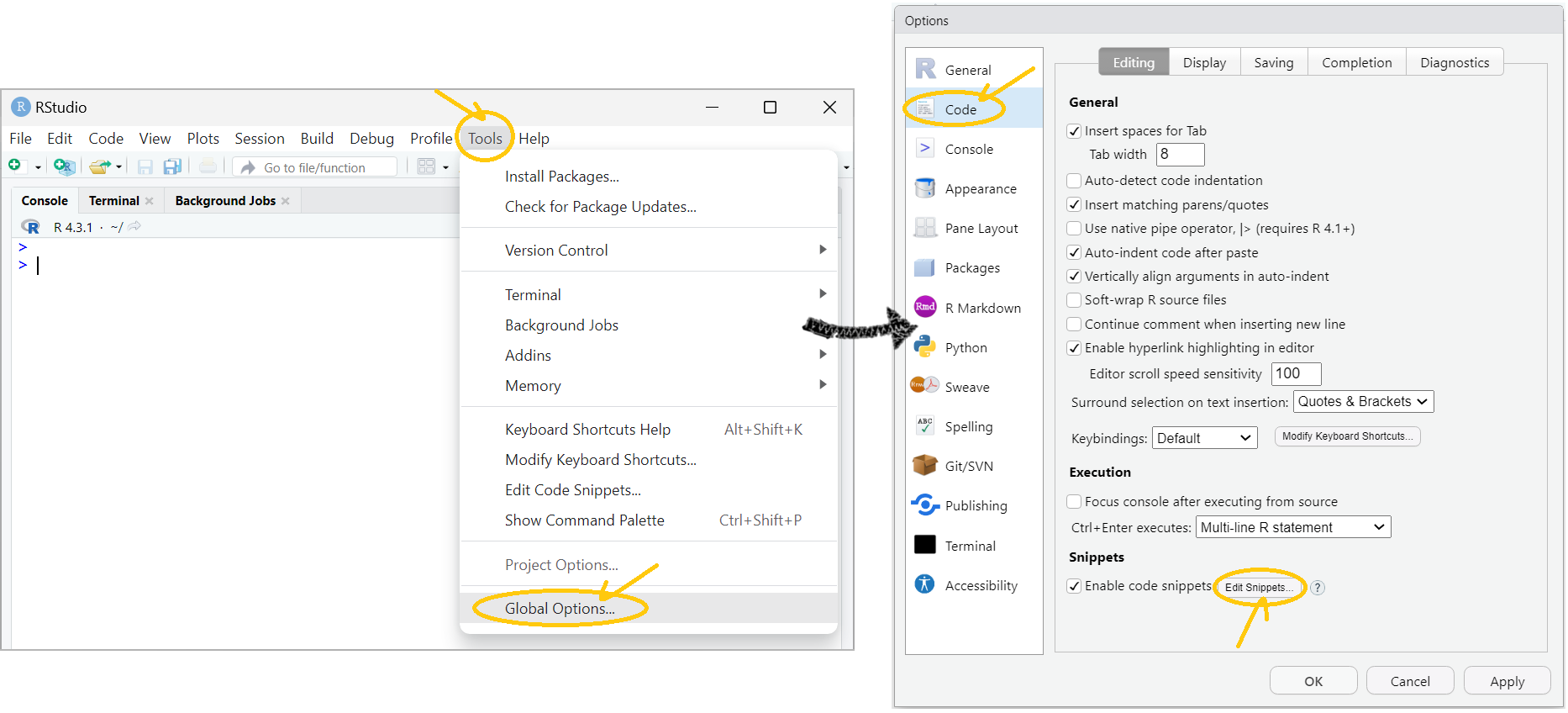
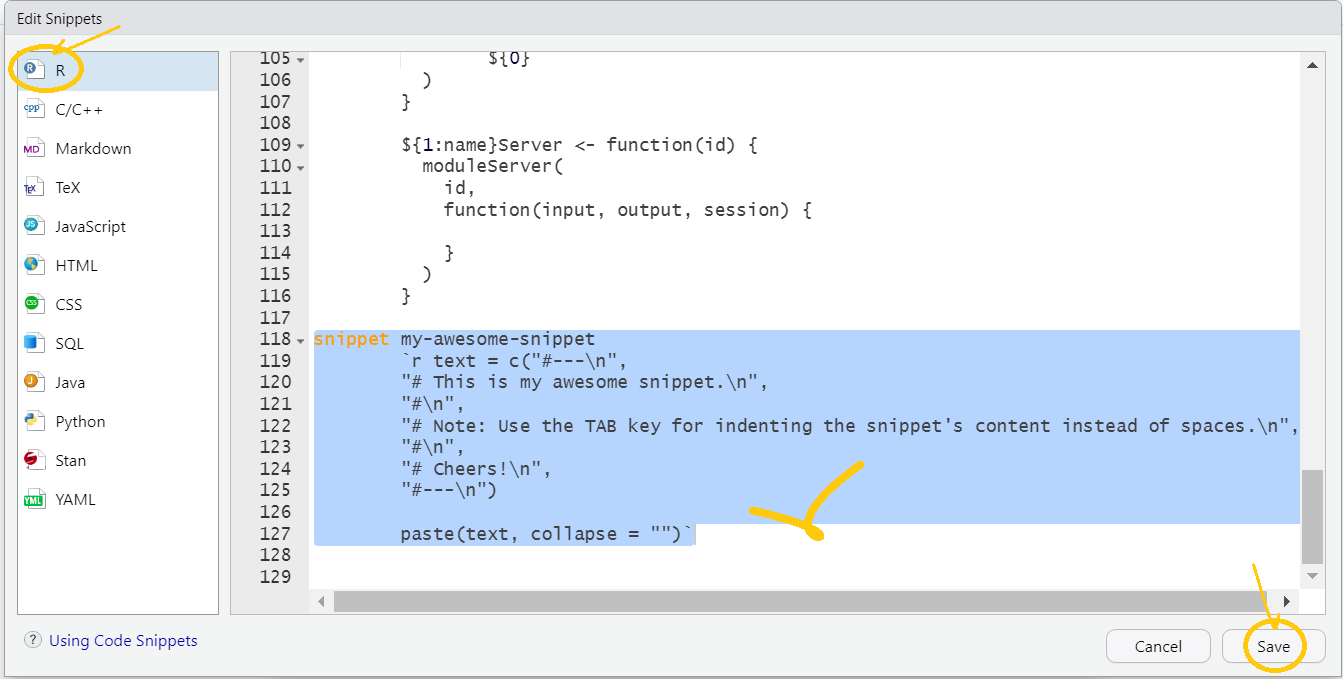
- In the Edit Snippets window, select a language → edit built-in snippets or add your own snippets → Save.
Note: Define custom snippets using thesnippetkeyword and indent the contents using the Tab key.
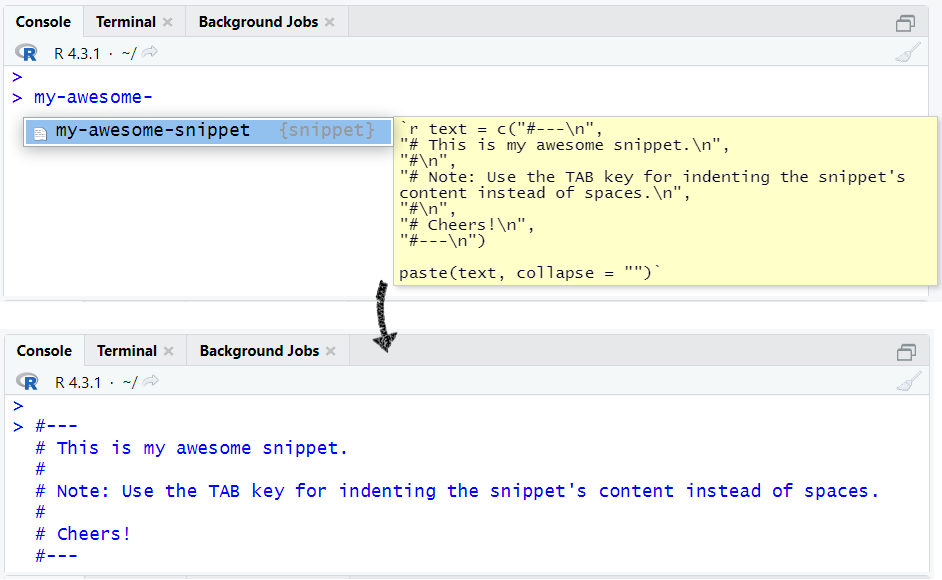
- Try out your snippet and get a beer. Cheers!